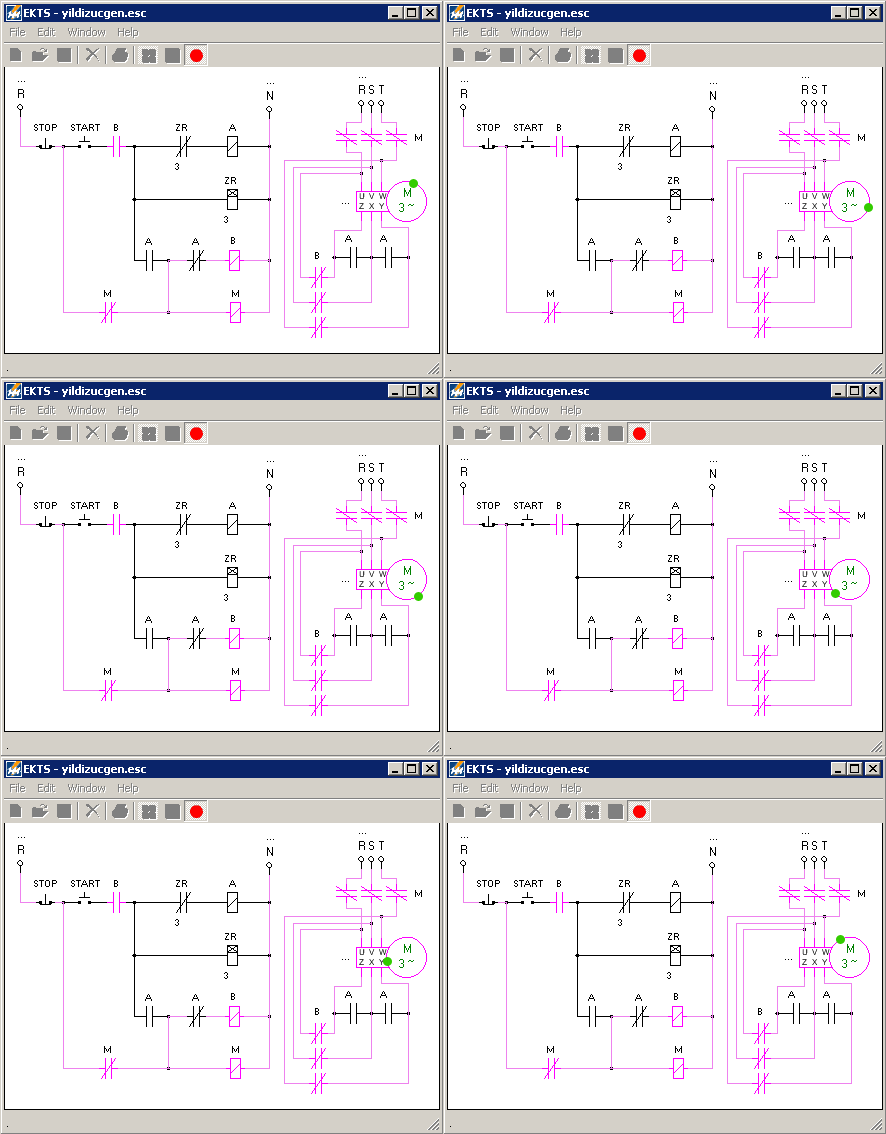
Download EKTS ⤓ Coffee (£) Documentation Docs Turkish
Total downloads: 1,228,694 — File size: 4MB
Electrical Control Techniques Simulator (EKTS) is a simulator for designing Electromechanical Systems. Design electromechanical systems using relays, time relays, buttons, motors, switches, basic mechanical systems, custom motor circuits using many motors.
EKTS simulator Features
- Design and test Electromechanical circuits
- Study working principles and analyze current flow process through circuit
- Design custom motor circuits using different motor types together
- Take print out of circuit or save as image for preparing study materials
- Supports GIF, BMP, JPEG, PNG image output formats
- Test circuits before applying them on the plant
- List used elements to define their configuration
- Find exact location and cause of error
- User interface in English, Turkish, Bulgarian, Dutch, Farsi and Arabic languages. Download EKTS language pack
- Bulgarian added in 13.02.2006 thanks to N.Delchev
- Farsi added in 13.11.2007 thanks to Hamid Reza
- Arabic added in 08.11.2012 thanks to Mohammed Nagieb El-Sayed
- Dutch added in 29.11.2012 thanks to Henk G. Zikken
- Ukrainian added in 20.07.2017 thanks to Taras Sobko
Simulator Description
Electrical Control Techniques Simulator – EKTS is a motor control simulation software for designing Electromechanical Systems. It allows you to design variety of electromechanical systems using relays, time relays, buttons, motors, switches and some basic mechanical systems. EKTS motor control circuit simulator allows building custom motor circuits using different motor types, including single and three phase motors, in different quantities.
Main usage of this simulator is aiming to teach basics of Electromechanical systems, therefore it have error pointing feature which shows exact location of error and cause that produces error. Other useful feature of simulator is listing all used circuit elements for calculating price and defining parts with quantities that will be used in circuit.
EKTS software doesn’t calculate current flow and power distribution through circuit elements, therefore it doesn’t guarantee having same result in real environment. We strongly recommend having approval by competent supervisor before applying designed circuits in real environment.
Check similar software Electromechanical Systems Simulator (ESS)
Video tutorial of simulator
EKTS (Electrical Control Techniques Simulator) usage tutorial. Video watched 55k times.
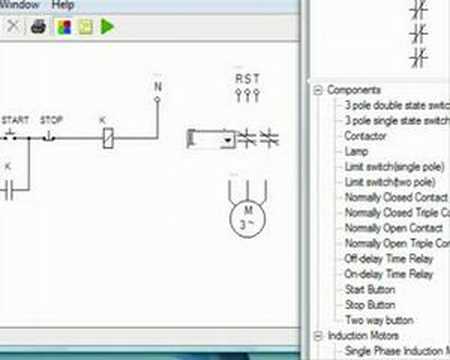
You can watch video on youtube as well.
Requirements
Simulator will work on Microsoft Windows computers. It supports operating system versions starting from Windows XP up to Windows 10. Simulator probably should work with Windows 11 as well.
To install and run EKTS software Microsoft .NET Framework is required. Microsoft .NET Framework file dotnetfx.exe can be downloaded from Microsoft web site.
How to get .NET Framework?
Search Microsoft website for .NET Framework redistributable 1.1. Version 1.1 and 2.0 should work. You can also install latest version Through Windows Update.
Future Suggestions
- Make animated and interactive output of designed circuit for using in presentations and web sites.
- Calculate current flow through connections.
- Add motor electronic specifications and load motors with some force.
- Allow to build custom systems like manufacturing robotics with variety of sensors and mechanical parts.
EKTS Screenshots
-
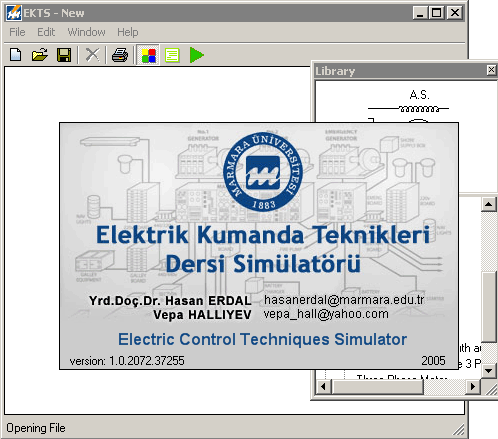
- Opening of EKTS simulator software.
-
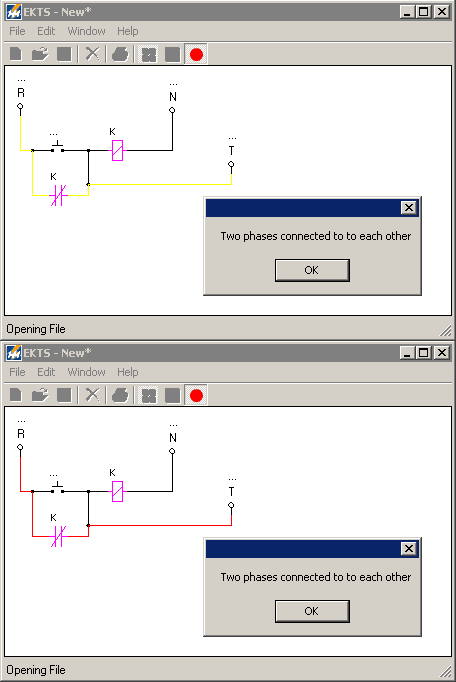
- EKTS points errors visually and explaining verbally making learning efficient. This functionality is useful in finding problems in circuits and learning while trying different circuits.
-
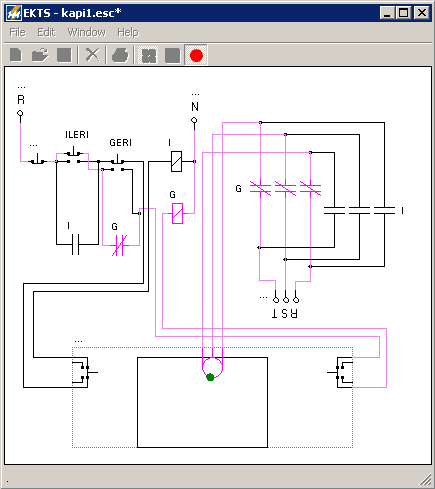
- EKTS software shows electrically active connections and affected elements in red to track current flaw. This functionality can’t be seen on real environment in such simple way.
-
- EKTS shows effected mechanical parts including motors animated making them simply conceivable for students.
-
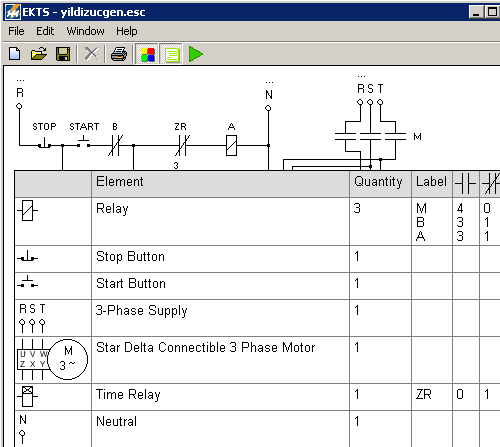
- All elements used in circuit can be listed to show their quantity and number of contacts used for each relay. This functionality of simulator is useful to define elements that will be used in building specified circuits.
-
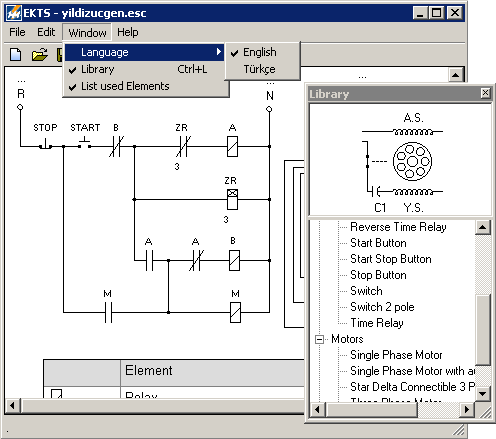
- EKTS have categorised element library whish makes finding needed elements easy. Also it has extendible interface language which can be adjusted for any national language.
-
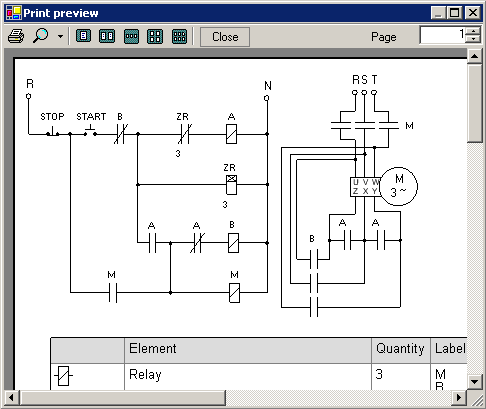
- Designed circuits in Electrical Control Techniques Simulator can be printed using user interface.
Known issues
If you found any bug related to circuits built with EKTS software then let us know in EKTS forum (or use contact us page) and we will publish it here. Thank you.
FAQ
What is EKTS?
EKTS (Electrical Control Techniques Simulator) is a simulator for designing Electromechanical Systems. Design electromechanical systems using relays, time relays, buttons, motors, switches, basic mechanical systems, custom motor circuits using many motors. Run simulator to check if designed system works. You can interact with EKTS while it’s running by pressing buttons and observe system behavior.
How to use EKTS?
Design circuit by dragging electromechanical system elements from library to main window. Connect elements by clicking with mouse and dragging. Release mouse to the point where you want to complete connection. Once designed electromechanical circuit press run button to see simulator in action. Check for any errors and test all features of designed circuit.
Watch detailed video tutorial or view documentation for more info. Circuit examples can be found in documentation page as well.
How much EKTS simulator costs?
EKTS is free simulator software. It is built for education purpose. You can use and download it for free from this website. You can let know about simulator by recommending and sharing link to this page to your friends and students.
How to download simulator?
Download simulator using download button on this page.
What is alternative to EKTS simulator?
I have built simpler version of simulator before EKTS. It is called Electromechanical Systems Simulator (ESS). View and download ESS from it’s own page.
Is there iOS/Android or online version of EKTS simulator?
Unfortunately EKTS works on Windows operating systems only.
Conclusion
When you need to design motor circuit for education purpose and find any related errors use this simulator. I explained simulator usage in video tutorial and written detailed documentation for using simulator software. Example circuits can be found in documentation as well.
You can contribute teaching electromechanical systems by sharing this page of EKTS free simulator in your blog or forum, writing tutorials, recording video tutorials and posting on YouTube.
Subscribe to my YouTube channel
I have built this website to share my projects including EKTS, write tutorials and share my thoughts about web and software development. If you want to start a web blog for sharing your projects and tutorials then read my beginner guide here.
If you like this simulator and want to thank me then you can buy me a coffee.
Check all my current projects.
Regards.